In this post we present a list of around 20 popular Arduino boards that are used by engineering students and professionals for their specific application needs. The types of Arduino boards discussed here are designed with a range of unique features and specifications to suit a desired application in the most effective way. The range of Arduino boards allow the students and hobbyists to select the right unit depending on their budget and the complexity of the task they want to implement.
What is an Arduino Board?
Arduino is an open-source electronics platform developed using easy-to-use hardware and software. Arduino boards have the ability to read inputs such as light falling on a sensor, a touch of a button, or a Twitter message, and transform it into an output which can be used for switching an external parameter ON or OFF.
This external parameter can be like turning a motor or an LED ON/OF, or even submitting a content on the internet.
Arduino enables the user to command the board a range of tasks by delivering a handful of information to the microcontroller on the board. To do this the user implements the Arduino programming language (depending on Wiring), and the Arduino Software (IDE), determined by Processing.
Arduino Boards and their Applications
The following content provide a list of popular Arduino boards along with detailed specifications, which can be selected by the user depending on the complexity of the application.
For example, if you are an engineering student and just getting started, you would need a board that are cheaper and less complex to use. These may include: Arduino-UNO, Arduino-Leonardo, Arduino-101, Arduino-Esplora, Arduino-Micro, Arduino-Nano etc.
For advanced users who now want to execute complex codes and programs, they can select from a range of these advanced and fast Arduinos such as: Arduino-Mega, Arduino-Zero, Arduino-Due, Arduino-Pro, etc.
So get started, and check out the following comprehensive range of Arduino boards with specifications, and try picking out the one that looks most suitable for your specific need.
1) Arduino Uno WiFi rev 2
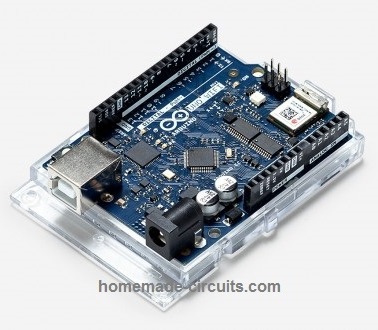
- Processor: ATMEGA4809, NINA-W132 Wi-Fi module from u-blox, ECC608 crypto device
- Frequency: 16 MHz
- Format: Arduino / Genuino
- Size: 68.6 mm x 53.4 mm
- Host interface: USB/32U4
- Voltage: 5 V
- Flash: 48 KB
- EEPROM: None
- SRAM: 0.25 KB
- Digital I/O Pins: 6 (14 are PWM based)
- Analogue Input: 5
- Analogue Output: 6
- Miscellaneous: Comes with 6-axis accelerometer, gyroscope the NINA/esp32 module works with WiFi and Bluetooth
2) Arduino / Genuino MKR1000
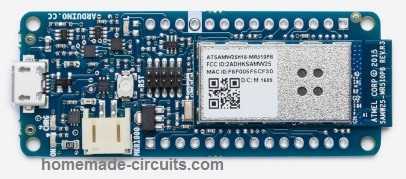
- Processor: ATSAMW25 (using SAMD21 Cortex-M0+ 32 bit ARM MCU, WINC1500 2.4 GHz 802.11 b/g/n Wi-Fi, and ECC508 crypto device )
- Frequency: 48 MHz
- Format: Minimal
- Size: 61.5 mm × 25 mm
- Host interface: USB
- Voltage: 3.3 V
- Flash: 256 KB
- EEPROM: None
- SRAM: 32 KB
- Digital I/O Pins: 8 (12 are PWM based)
- Analogue Input: 7
- Analogue Output: 1
3) Arduino 101 / Genuino 101
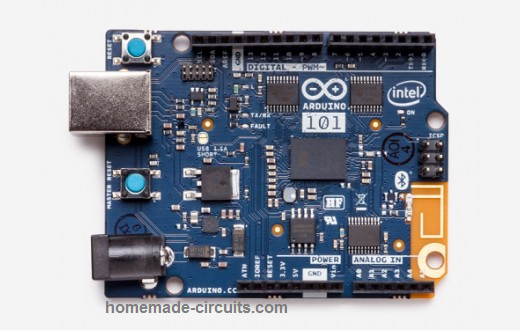
- Processor: Intel® Curie™ module 2 tiny cores, one x86 (Quark SE) along with ARC
- Frequency: 32 MHz
- Format: Arduino / Genuino
- Size: 68.6 mm × 53.4 mm
- Host interface: USB
- Voltage: 3.3 V
- Flash: 196 KB
- EEPROM: N/A
- SRAM: 24 KB
- Digital I/O Pins: 14 (4 are PWM based)
- Analogue Input: 6
- Analogue Output: N/A
- Miscellaneous: Includes 6-axis accelerometer, gyroscope and Bluetooth
4) Arduino Zero
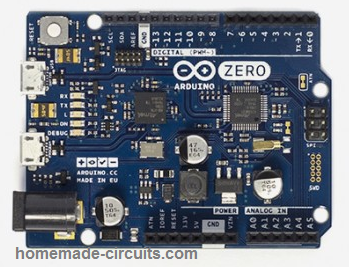
- Processor: ATSAMD21G18A
- Frequency: 48 MHz
- Format: Arduino
- Size: 68.6 mm × 53.3 mm
- Host interface: USB
- Voltage: 3.3 V
- Flash: 256 KB
- EEPROM: 0-16 Kb emulation
- SRAM: 32 KB
- Digital I/O Pins: 14 (12 are PWM based)
- Analogue Input: 6
- Analogue Output: 1
- Miscellaneous: 32-bit architecture
5) Arduino Due
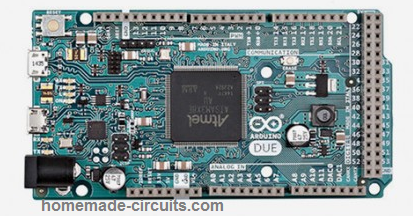
- Processor: ATSAM3X8E
- Frequency: 84 MHz
- Format: Mega
- Size: 101.6 mm × 53.3 mm
- Host interface: 16U2 + native host
- Voltage: 3.3 V
- Flash: 512 KB
- EEPROM: 0
- SRAM: 96 KB
- Digital I/O Pins: 54 (12 are PWM based)
- Analogue Input: 12
- Analogue Output: 2
- Miscellaneous: It is the first Arduino board built with ARMProcessor. In contrast to most Arduino boards, it can be used only with 3.3 V and not 5 V.
6) Arduino Yún
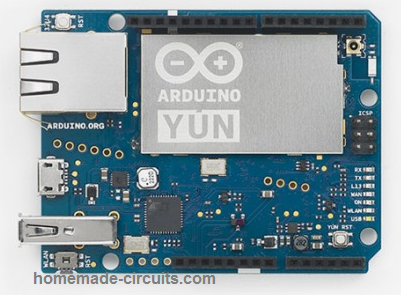
- Processor: Atmega32U4, Atheros AR9331
- Frequency: 16 MHz, 400 MHz
- Format: Arduino
- Size: 68.6 mm × 53.3 mm
- Host interface: USB
- Voltage: 5 V
- Flash: 32 KB, 16 MB
- EEPROM: 1 KB, 0 KB
- SRAM: 2.5 KB, 64 MB
- Digital I/O Pins: 14 (6 are PWM based)
- Analogue Input: 12
- Analogue Output: N/A
- Miscellaneous: Arduino Yún is a blend of a classic Arduino Leonardo (built around the Atmega32U4 processor) includes an on chip WiFi system (SoC) operating Linino, a MIPSGNU/Linux based on OpenWrt.
7) Arduino Leonardo
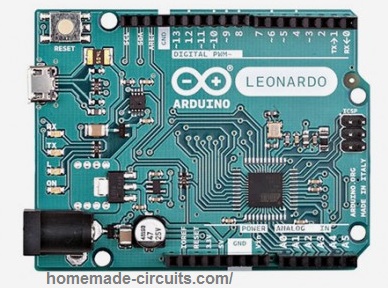
- Processor: Atmega32U4
- Frequency: 16 MHz
- Format: Arduino
- Size: 68.6 mm × 53.3 mm
- Host interface: USB/32U4
- Voltage: 5 V
- Flash: 32 KB
- EEPROM: 1 KB
- SRAM: 2.5 KB
- Digital I/O Pins: 20 (7 are PWM based)
- Analogue Input: 12
- Analogue Output: N/A
- Miscellaneous: The Leonardo is designed with the Atmega32U4 processor, which features an integrated USB controller, which reduces a single chip as compared to other Arduino versions.
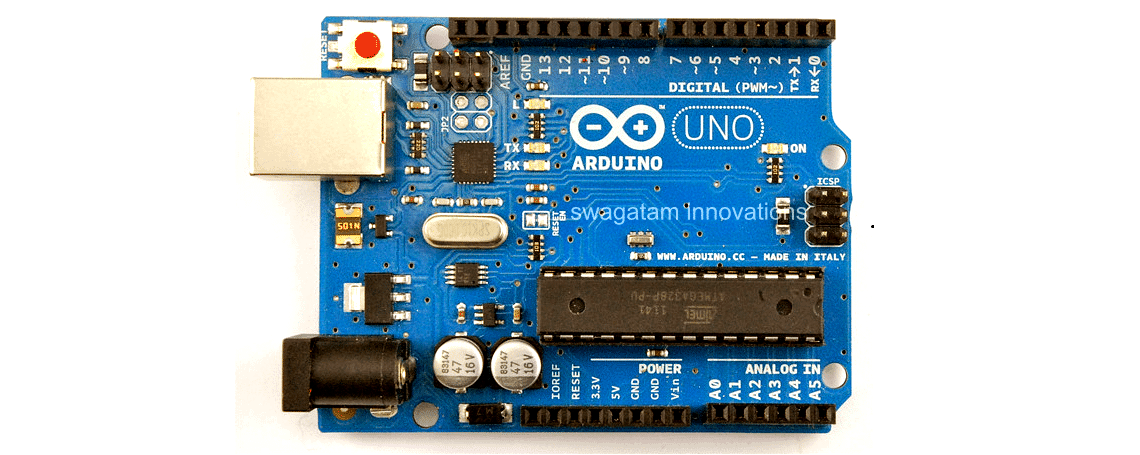
8) Arduino Uno
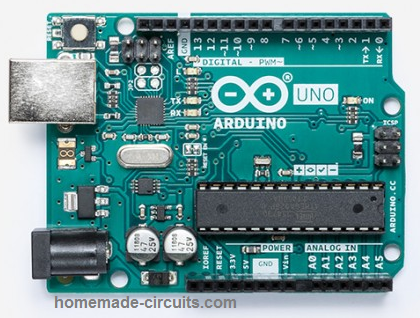
- Processor: ATmega328P
- Frequency: 16 MHz
- Format: Arduino
- Size: 68.6 mm × 53.3 mm
- Host interface: USB/8U2(Rev1&2)/16U2(Rev3)
- Voltage: 5 V
- Flash: 32 KB
- EEPROM: 1 KB
- SRAM: 2 KB
- Digital I/O Pins: 2 (14 are PWM based)
- Analogue Input: 6
- Analogue Output: 6
- Miscellaneous: This works with the very same ATmega328 as late-model Duemilanove, but while the Duemilanove incorporated an FTDI IC for USB, the Uno operates with an ATmega16U2 (ATmega8U2 before rev3) programmed as a serial converter.
9) Arduino Mega2560
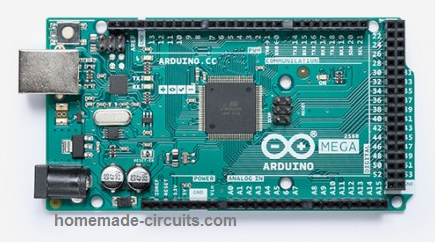
- Processor: ATmega2560
- Frequency: 16 MHz
- Format: Mega
- Size: 101.6 mm × 53.3 mm
- Host interface: USB/8U2(Rev1&2)/16U2(Rev3)
- Voltage: 5 V
- Flash: 256 KB
- EEPROM: 4 KB
- SRAM: 8 KB
- Digital I/O Pins: 54 (15 are PWM based)
- Analogue Input: 16
- Analogue Output: N/A
- Miscellaneous: The majority of the shielding that had been created for the Duemilanove, Diecimila, or Uno will have no problems here, however some shields may not accommodate due to of incompatibility with the supplemental pins.
10) Arduino Ethernet
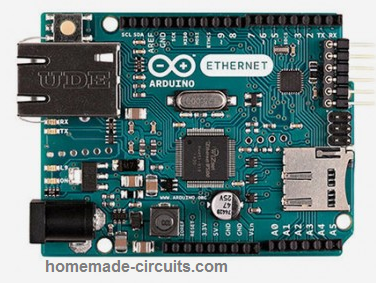
- Processor: ATmega328
- Frequency: 16 MHz
- Format: Mega
- Size: 101.6 mm × 53.3 mm
- Host interface: Ethernet Serial interface, Wiznet Ethernet
- Voltage: 5 V
- Flash: 32 KB
- EEPROM: 1 KB
- SRAM: 2 KB
- Digital I/O Pins: 14 (4 are PWM based)
- Analogue Input: 6
- Analogue Output: N/A
- Miscellaneous: Structured around the same WIZnet W5100 chip as the Arduino Ethernet Shield. A serial interface has been included for programming, but it lacks USB port. Newer versions of this board are compatible with Power over Ethernet (PoE).
11) Arduino Fio
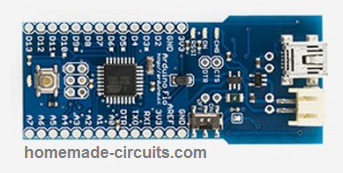
- Processor: ATmega328P
- Frequency: 8 MHz
- Format: minimal
- Size: 66.0 mm × 27.9 mm
- Host interface: XBee Serial
- Voltage: 3.3 V
- Flash: 32 KB
- EEPROM: 1 KB
- SRAM: 2 KB
- Digital I/O Pins: 14 (6 are PWM based)
- Analogue Input: 8
- Analogue Output: N/A
- Miscellaneous: XBee socket can be found at the bottom portion of the board
12) Arduino Nano
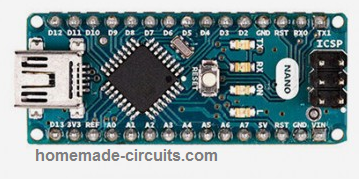
- Processor: ATmega328 (ATmega168 before v3.0)
- Frequency: 16 MHz
- Format: minimal
- Size: 43.18 mm × 18.54 mm
- Host interface: USB/ FTDIFT232R
- Voltage: 5 V
- Flash: 16/32 KB
- EEPROM: 0.5/1 KB
- SRAM: 1/2 KB
- Digital I/O Pins: 14 (6 are PWM based)
- Analogue Input: 8
- Analogue Output: N/A
- Miscellaneous: This is a tiny version of the Arduino that works with USB power and is built with a surface-mounted processor.
13) LilyPad Arduino
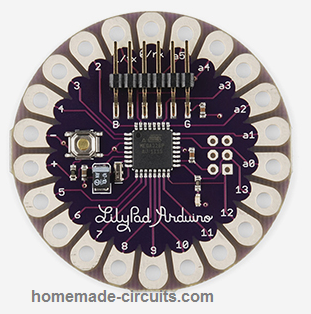
- Processor: ATmega168V or ATmega328V
- Frequency: 8 MHz
- Format: wearable
- Size: 51 mm ⌀ [ 2 in ⌀ ]
- Host interface: USB/ FTDIFT232R
- Voltage: 2.7-5.5 V
- Flash: 16 KB
- EEPROM: 0.5 KB
- SRAM: 1 KB
- Digital I/O Pins: 14 (6 are PWM based)
- Analogue Input: 6
- Analogue Output: N/A
- Miscellaneous: Comes with bare minimum features and designed for wearable applications.
14) Arduino Pro
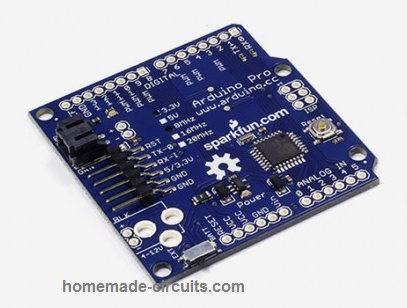
- Processor: ATmega168V or ATmega328V
- Frequency: 16 MHz
- Format: Arduino
- Size: 52.1 mm × 53.3 mm
- Host interface: UART Serial, I2C(TWI), SPIFTDI
- Voltage: 5 V or 3.3 V
- Flash: 16/32 KB
- EEPROM: 0.5/1 KB
- SRAM: 1/2 KB
- Digital I/O Pins: 14 (6 are PWM based)
- Analogue Input: 6
- Analogue Output: N/A
- Miscellaneous: Manufactured by SparkFun Electronics for use in temporary installations.
15) Arduino Mega ADK
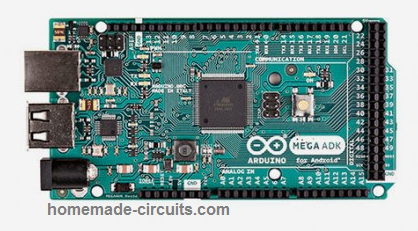
- Processor: ATmega2560
- Frequency: 16 MHz
- Format: Mega
- Size: 101.6 mm × 53.3 mm
- Host interface: 8U2, MAX3421E,USB Host
- Voltage: 5 V
- Flash: 256 KB
- EEPROM: 4 KB
- SRAM: 8 KB
- Digital I/O Pins: 54 (14 are PWM based)
- Analogue Input: 16
- Analogue Output: N/A
- Miscellaneous: Manufactured by SparkFun Electronics for use in semi-permanent installations.
16) Arduino Esplora
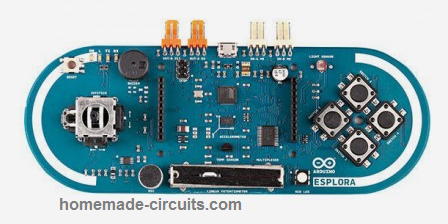
- Processor: Atmega32U4
- Frequency: 16 MHz
- Format: Mega
- Size: 165.1 mm × 61.0 mm
- Host interface: 32U4
- Voltage: 5 V
- Flash: 32 KB
- EEPROM: 1 KB
- SRAM: 2.5 KB
- Digital I/O Pins: 54 (14 are PWM based)
- Analogue Input: 16
- Analogue Output: N/A
- Miscellaneous: Accommodates Analog joystick, 4 buttons, many sensors, a couple of TinkerKit inputs and a pair of outputs, along with an LCD connector
17) Arduino Micro
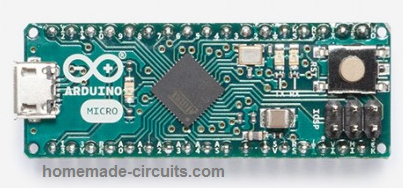
- Processor: Atmega32U4
- Frequency: 16 MHz
- Format: Mini
- Size: 17.8 mm × 48.3 mm
- Host interface: N/A
- Voltage: 5 V
- Flash: 32 KB
- EEPROM: 1 KB
- SRAM: 2.5 KB
- Digital I/O Pins: 20 (7 are PWM based)
- Analogue Input: 12
- Analogue Output: N/A
- Miscellaneous: This Arduino model was designed in collaboration with by Adafruit.
19) Arduino Pro Mini
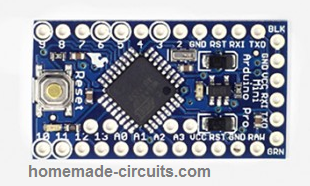
- Processor: ATmega328
- Frequency: 8 (3.3 V)/16, (5 V) MHz
- Format: Mini
- Size: 17.8 mm × 33.0 mm
- Host interface: 6-pin serial header
- Voltage: 3.3 V / 5 V
- Flash: 32 KB
- EEPROM: 1 KB
- SRAM: 2 KB
- Digital I/O Pins: 14 (6 are PWM based)
- Analogue Input: 6
- Analogue Output: N/A
- Miscellaneous: This Arduino model was designed and manufactured by SparkFun Electronics.
Reference: Wikipedia



Comments
Hi Swagatam,
I would like to learn basic programing or coding. Can you please suggest how can i start learning?
Hi Axel, actually my Arduino knowledge is itself not so good, so i cannot help you much in this regard….however you can try referring to the following post and see if it helps you get some helpful information:
https://www.homemade-circuits.com/learning-basic-arduino-programming-tutorial-for-the-newcomers/
Thank you Swagatam for the many circuits.
I want a circuit designed for the measurement of tensile strength of thin films such as polythene, etc. The film is to be clamped between two jaws which will travel in opposite directions (a jaw may be fixed while the other travels). The force required to pull the film till it breaks and the distance travelled are measured and displayed.
Thanks.
Thank you Abdulazeez,
The project looks interesting.
What kind of output do you prefer? Using Arduino and digital display or using cheap 10 LED version.
Swagatam, the innovator I know for more than 10 years. thank you for your effort. all you do is always useful.
Can you please help me to create a control/monitor system for moving vehicles to many station, I need a feedback message when any vehicle arrived to any station. those stations are fixed pleases and vehicles also fixed number.
thank you so much
Thank you Ahmed, for being a dedicated visitor of this blog for the last 10 years.
How do you want to get the messages, through mobile phone? That can be actually a difficult project to design.
Sir,
Good afternoon,
I am planning to do a project on water seepage detection. Can you please suggest a suitable board and sensors.
Thanking you for your time,
Regards,
Sir,
Good evening,
Thanks a lot for your prompt help.
Regards,
You are welcome Vishwa!
Hi Vishwa,
If you know the coding and programming procedures, then you can simply use the UNO board for the project. For seepage detection any moisture sensor device would work.
Can you specify the exact function of the signal conditioner? Is it for dropping the 240V AC to lower levels so that the oscilloscope can be used with it?
Can you please post the same question under the following article. I will try to design the circuit for you soon:
https://www.homemade-circuits.com/how-cathode-ray-oscilloscopes-cro-work/
Hi Swagatam;
I had studied advanced PIC Programming. Now I need to start Ardunio. Which model you advise. Thanks
Suat
Hi Suat, According to me Arduino UNO is a good platform to start with.
Hi,
I’m looking to use an Arduino MKR WIFI 1010 to control a DC-DC PWM Buck converter, similar to one of your projects (www.www.homemade-circuits.com/buck-converter-using-arduino/). I would like to have the converter operate at 100kHz. Is this achievable? Would one of the other boards be better? The maximum frequency of your project was 62.5KHz, I would like to get my frequency up to 100 kHz. My ultimate aim is to implement a digital closed loop controller.
I would greatly appreciate any help you can give. Thank you.
Hi, According to me it is definitely achievable since MKR WIFI 1010 board is an enhanced version of the MKR1000 and is perfectly suitable for 100 kHz PWM operation.
which Type/model would you suggest for a hobbyist to learn as well
as continue with the same board as one enhances his skills in programming ?
thanks in advance
It is Arduino UNO which is the universal board suitable for almost everybody in the field.
Thank you very much indeed.
would you be having the same for sale?
with high regards
Imsa Naga
My pleasure Imsa, sorry I do not sell parts at this moment, but you can easily get it from Amazon.
Thank you so for your innovative work sharing. I am noob to arduino and your project really help.
It’s my pleasure, and glad you liked the post!